Square Setup
Connect your Square POS and Pickpad will start receiving your orders automatically.
1. Select order source
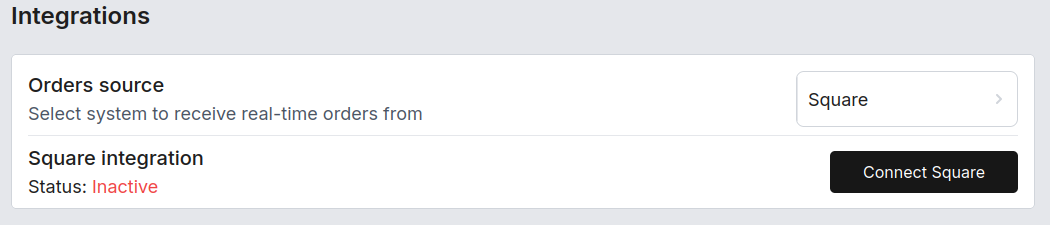
In the Pickpad Dashboard, go to Settings and set Orders source to Square.
A Square integration section will appear, showing status Inactive and a Connect Square button.
2. Connect your Square account
Click Connect Square. You'll be redirected to Square to authorize the connection.
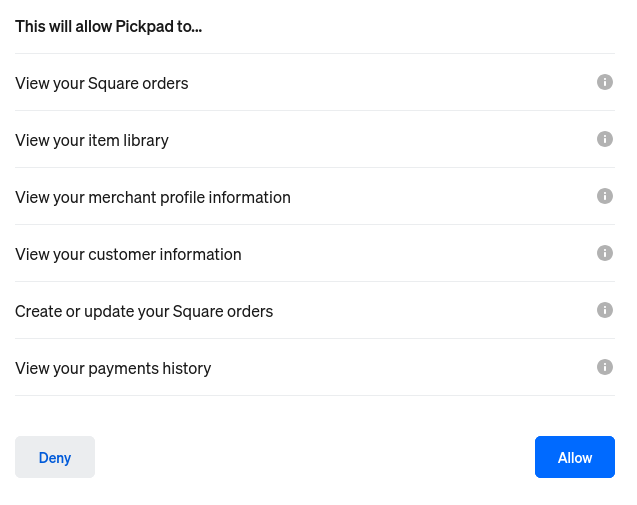
3. Review and allow permissions
Square will show you the permissions Pickpad needs to operate. Look them over, then click Allow.
4. Integration activated
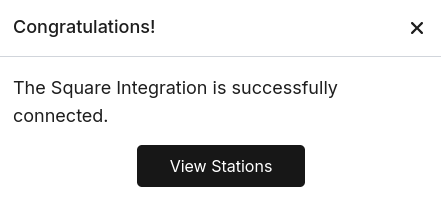
Once you authorize, a success message confirms the integration is connected.
5. Create stations
Head to Stations in the Pickpad Dashboard and create a station for each Square location — this is what tells Pickpad which pads should receive orders from which location.