How it works
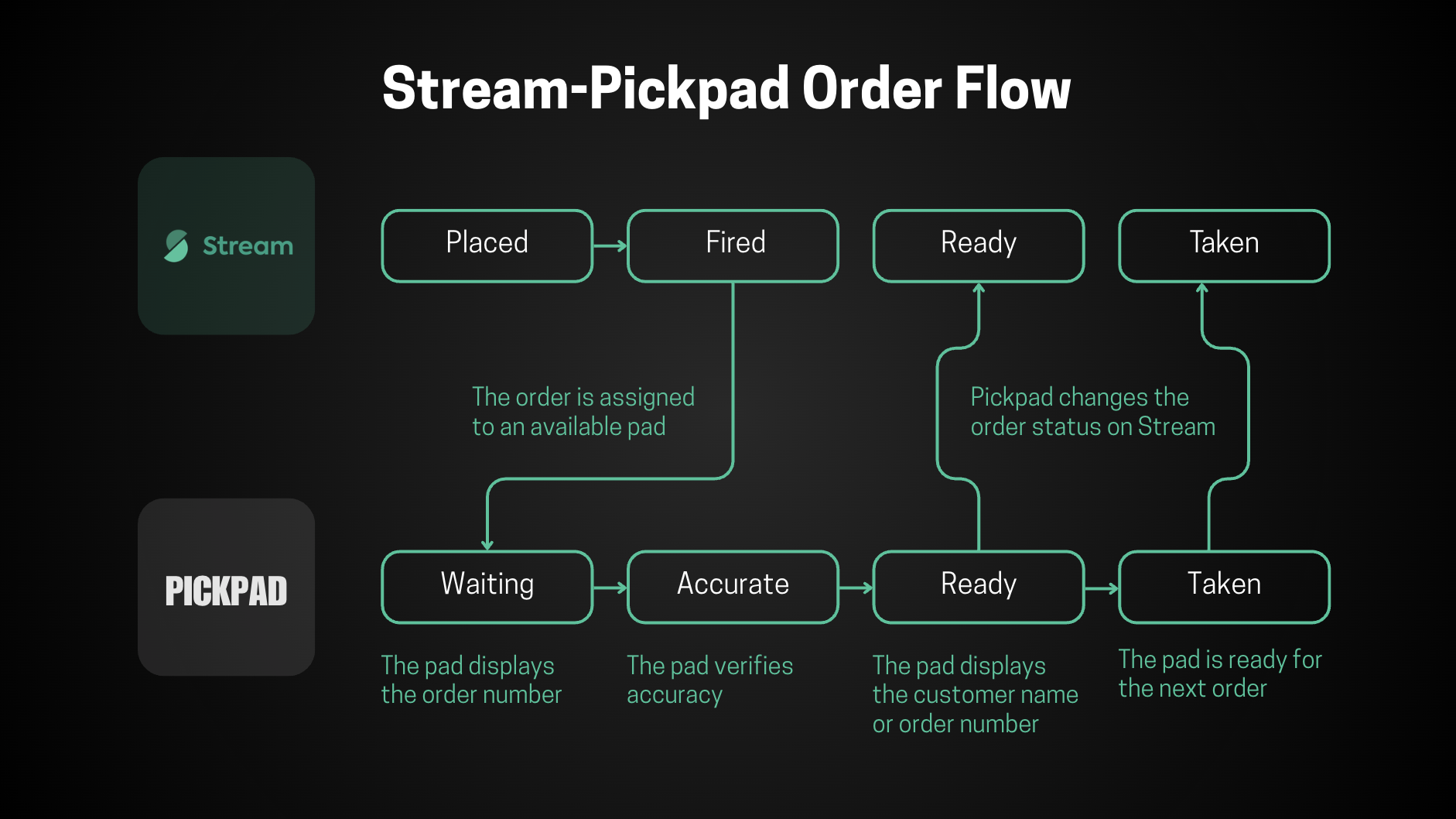
Pickpad's role
Pickpad is set up in Stream as a dispatch provider. That means Pickpad never creates orders on its own — for each store that turns Pickpad on, Stream sends us the orders coming from that store's ordering platform, and Pickpad sends updates back as the order moves along.
What data Pickpad receives
Stream sends Pickpad order updates from the store's ordering platform. We handle three kinds:
| New order confirmed | A new order has come in and is being prepared |
| Order changed | Something about an existing order was updated |
| Order canceled | An order was canceled |
Each of these includes the full order details (items, customer, store, and so on), which Pickpad then uses inside its own system.
What Pickpad can send back
As the dispatch provider, Pickpad reports progress back to Stream, which in turn passes it on to the ordering platform.
-
As the order moves along, we send its current stage:
- Driver has taken the order and is on the way to the customer
- Customer has taken the order — order is finished
Delivery status beyond that, along with driver data, comes from the DSP itself.
Webhooks for custom integrations
On top of the standard Stream integration, our system can offer additional order status tracking through webhooks. As an order moves through its flow inside Pickpad, we send a message to a third-party platform at each step, so that platform always has an up-to-date picture of where the order stands.
The order statuses our system can notify on include:
| Distributed | Order assigned to Pickpad |
| Placed | The order has been placed on the Pickpad station |
| Taken | The customer has picked up the order |
| Finished | The order is complete |
You can find more details about webhooks here