Order Accuracy
Only shown once Check order accuracy is enabled on the account Settings page (see Order Accuracy for that account-level toggle). These settings tune how each station's Pickpads use their built-in scale to verify that what's placed on them actually matches the order.
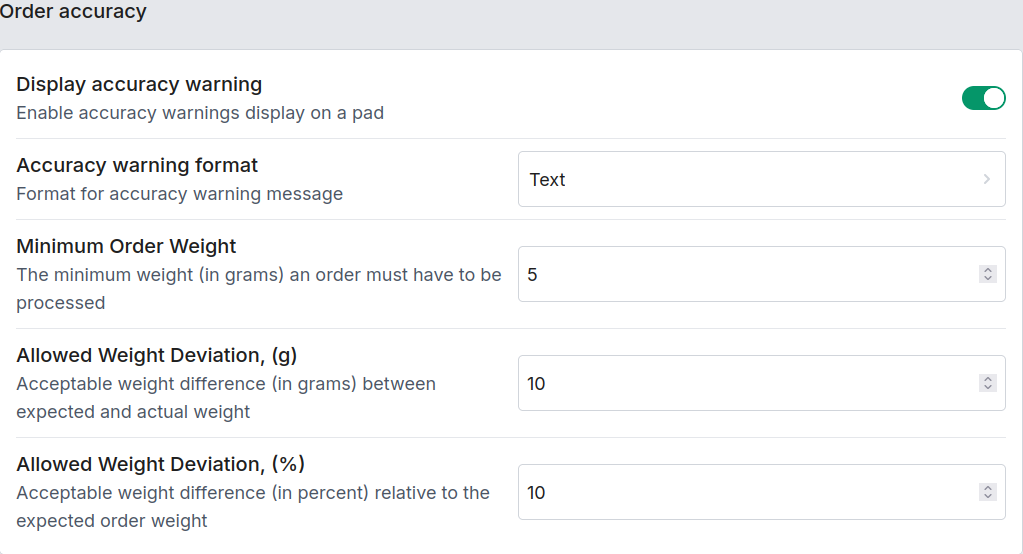
| Setting | Description |
|---|---|
| Show accuracy warning | Show accuracy warnings on the Pickpad's display. |
| Accuracy warning format | How a mismatch is shown: Text / Weights / Percent / Weight and percent. |
| Minimal weight to process | The minimum weight (in grams) an order must have before it counts as placed on the Pickpad. |
| Weight delta absolute | Acceptable weight difference, in grams, between the expected and actual weight before it's flagged. |
| Weight delta percent | Acceptable weight difference, as a percentage of the expected order weight, before it's flagged. |
These thresholds are per station — a station handling heavier/bulkier orders can be given more tolerance than one handling small, precise items.