Station Details
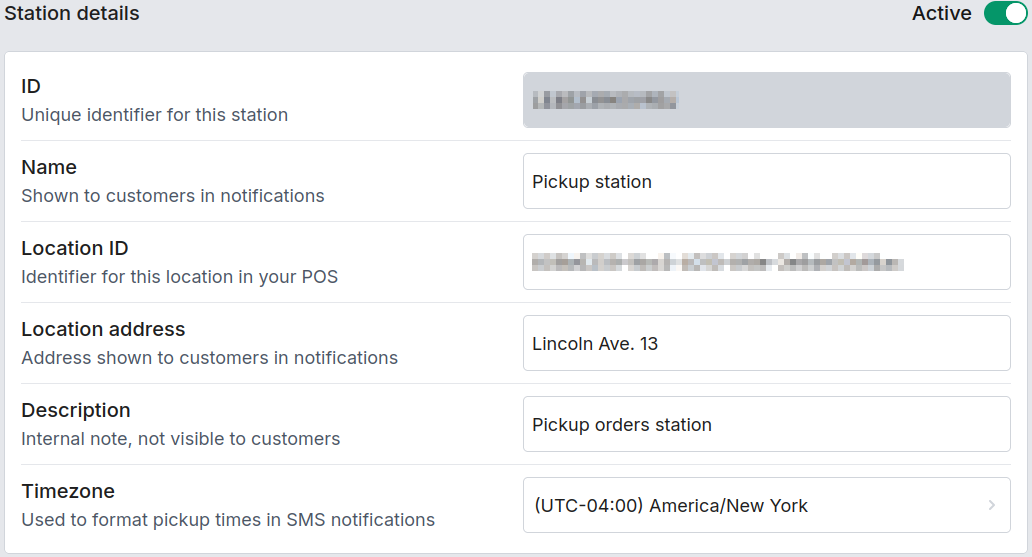
Basic identity for the station: what it's called, where it is, and whether it's currently active.
| Field | Description |
|---|---|
| Active / Inactive | Toggle in the top-right of this block. An inactive station stops accepting new orders and drops out of distribution, but its history and Pickpads stay intact. |
| ID | Read-only, shown once the station is saved. Copy it if you need to reference this station elsewhere (e.g. the API). |
| Name | Shown to customers in SMS notifications. |
| Location ID | The location identifier your POS uses to route orders to this station. If your POS exposes a location picker, you'll get a dropdown instead of a free-text field. |
| Location address | Address shown to customers in notifications. |
| Description | Internal note — not shown to customers. |
| Timezone | Used for this station's time estimates and formatting (pickup times, dashboard timestamps, etc.). Leave it on Account default to inherit the account-level timezone (see Display Settings); set it explicitly only when this station genuinely differs (e.g. a location in another timezone). |